
Coffee Machine Care
Energy Consumption Reduction: Home & Office Tips
Jul
Your bill often isn't blown up by the obvious stuff. It gets chipped away by equipment that sits there, all day, every day, doing just enough in the background to stay expensive. Johns Hopkins notes that phantom energy consumption can account for up to 10% of residential electricity use, and that same standby waste shows up in small workplaces too when chargers, monitors, printers, and coffee machines never fully power down (Johns Hopkins sustainability guidance).
That's why smart energy consumption reduction starts with a mindset shift. Stop treating energy waste like a big-systems problem only. In real homes, shared kitchens, and office breakrooms, the biggest wins often come from boring routines done consistently: switching off idle equipment, tightening appliance habits, and paying attention to the coffee setup that gets used constantly but rarely managed well.
The Invisible Drain on Your Bank Account
Lights are often the initial focus. That's fine, but it's not enough.
The harder problem is the equipment you think is “off” but isn't truly off. A TV on standby, a charger left in a strip under a desk, a printer sleeping in the corner, a coffee maker glowing faintly on the counter. Each one looks trivial by itself. Together, they create a permanent background load that makes your bill feel disconnected from your habits.
Why standby power is so frustrating
Standby waste is annoying because it punishes good behavior. You can turn off lamps, shorten showers, and still wonder why the total barely moves. That disconnect makes people chase complicated upgrades before they fix the daily leaks.
Practical rule: If a device has a clock, indicator light, warm plate, or always-ready mode, assume it deserves a second look.
In homes, that hidden load often clusters around entertainment centers and kitchen counters. In offices, it piles up around workstations and breakroom appliances. Coffee machines are a repeat offender because people judge them by brew time, not by how long they sit idle between brews.
What actually helps
The first useful move is simple: identify what stays plugged in all the time, then separate what must stay on from what doesn't. Wi-Fi equipment and essential network gear usually stay. Most everything else should earn that privilege.
A practical walkthrough like Superior Home Improvement's energy advice can help if you want a room-by-room way to think through the easy fixes without turning the process into a full renovation project.
Use this lens as you go through your space:
- Always-on essentials: Internet equipment, security devices, or anything that needs constant power.
- Idle drains: Coffee makers, microwaves with clocks, monitors, chargers, printers, and speakers.
- Seasonal or occasional devices: Guest-room electronics, spare appliances, and travel gear that can stay unplugged most of the time.
The point isn't to live in the dark or unplug your entire life. The point is to stop paying for equipment that isn't doing useful work.
Quick Wins for Immediate Energy Savings
Fast wins matter because they build momentum. If a change is annoying, people abandon it. If a change is easy and visible, it sticks.
The European Union's long-term progress makes that point well. Eurostat reports that household energy consumption per inhabitant in the EU fell by 4.4% from 2017 to 2022, which shows how steady, small actions across millions of households can add up to serious energy consumption reduction.
Start with the easiest friction points
You don't need a major purchase to get traction. You need a few decisions that remove waste without creating more work.
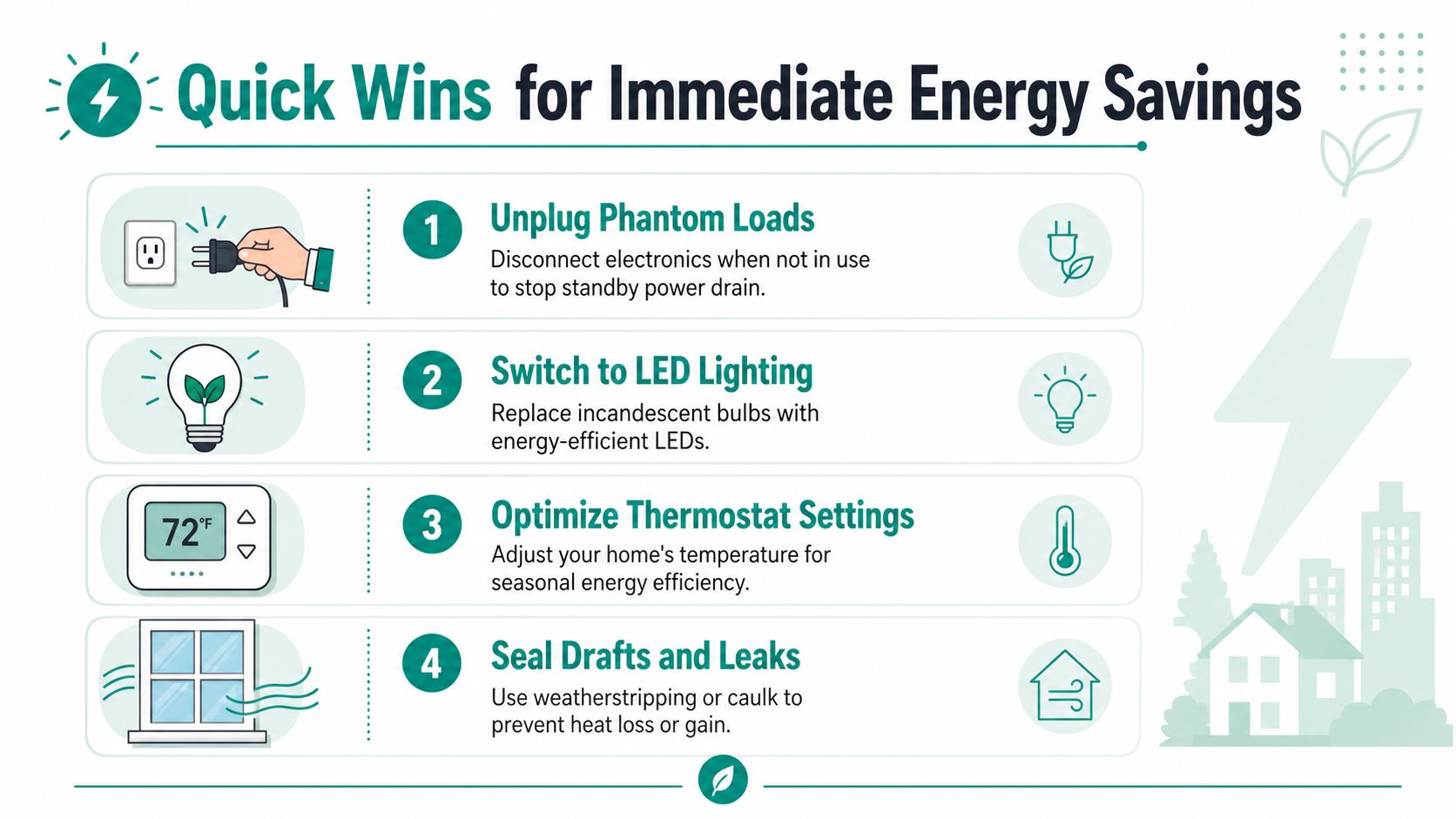
- Unplug the obvious freeloaders: Chargers, extra monitors, label printers, and countertop appliances are easy targets because they often stay connected from habit, not necessity.
- Use one-switch shutdown zones: Put desk gear, entertainment gear, or breakroom add-ons on a switched strip so one action cuts the idle draw.
- Kill convenience settings you don't use: Ready lights, warming modes, and idle displays usually offer comfort, not value.
Tighten lighting and room control
Lighting upgrades still matter because they reduce waste every day with almost no behavior required after installation. If you still have older bulbs in high-use areas, replacing them is one of the least glamorous but most reliable improvements.
Thermostat discipline matters too, especially when people override settings casually. Small adjustments are easier to maintain than dramatic ones, and consistency beats intensity. In offices, the issue usually isn't the thermostat hardware. It's people fighting each other with manual changes and bad scheduling.
A good energy habit is the one people will still follow next month.
If you need a practical exterior-focused checklist for weather leaks, insulation weak points, and utility bill basics, this guide for Upstate SC homeowners is useful because it stays grounded in common household problem areas.
Three quick-win zones to fix today
| Area | Common waste | Better move | Why it works |
|---|---|---|---|
| Living room or meeting room | Devices left on standby | Put screens and accessories on a controlled strip | Cuts idle draw without changing the setup |
| Kitchen or breakroom | Coffee equipment and chargers plugged in constantly | Shut down after the last use of the day | Stops waste in a high-traffic area |
| Entry points and windows | Air leaks and drafty gaps | Seal visible leaks | Reduces comfort-driven overuse of heating or cooling |
These aren't flashy upgrades. They're the habits that keep your bill from drifting upward for no good reason.
Master Your Major Appliances for Deeper Cuts
Quick wins are useful, but the bigger long-term payoff comes from how you run the equipment that does the bulk of the daily work. Laundry, dishwashing, refrigeration, and cooling equipment respond well to better habits because they cycle often and punish neglect.
The reason this matters at scale is straightforward. The International Energy Agency says energy efficiency improvements were the primary factor limiting growth in global energy use, saving more than 16 exajoules annually by 2005. Appliance efficiency isn't a side issue. It's one of the main tools that changes demand.
Laundry and dishwashing habits that hold up
Laundry rooms waste energy when people default to small loads, extra heat, or unnecessary repeat cycles. The best routine is boring and effective: wait for fuller loads, use the settings that match the load, and avoid treating every wash like a sanitizing event unless that's necessary.
Dishwashers work the same way. They reward full loads and punish half-load habits. Air-dry settings and skipping unnecessary heated finishing modes usually make more sense than chasing speed.
- Wash with intention: Match the cycle to the load instead of using the same heavy setting every time.
- Run fuller loads: Major appliances are least efficient when they're doing partial work repeatedly.
- Keep filters and drains clear: A machine that struggles to circulate, drain, or heat properly usually runs longer and works harder.
Refrigerators and cooling equipment need maintenance, not wishful thinking
Refrigerators drift into inefficiency slowly. Dirty coils, weak door seals, and cramped airflow don't create a dramatic failure right away. They create a machine that runs longer than it should.
Check seals, keep vents clear, and don't overpack shelves so tightly that air can't move. In breakrooms, this is a common failure point because people treat the fridge like storage instead of equipment.
If a major appliance has to work harder to do the same job, your bill notices before you do.
Cooling equipment deserves the same practical lens. Repairing an older system can make sense, but not every repair is worth repeating indefinitely. If you're weighing that decision in a hot climate, this breakdown of AC repair vs replacement is a useful framing tool because it focuses on decision quality rather than blanket advice.
Where people usually get this wrong
A lot of energy guides overfocus on sacrifice. In practice, deeper cuts come from better operation:
| Appliance | Wasteful habit | Better habit |
|---|---|---|
| Washer | Frequent small loads | Consolidate and choose the lightest effective cycle |
| Dishwasher | Running half full | Wait, load properly, and use lower-energy drying options |
| Refrigerator | Ignoring seals and airflow | Clean, inspect, and give it room to breathe |
| AC system | Delaying decisions on struggling equipment | Assess whether recurring fixes still make sense |
That's what a useful energy consumption reduction plan looks like. Less theory, better operation.
Your Coffee Machine Is Costing You More Than You Think
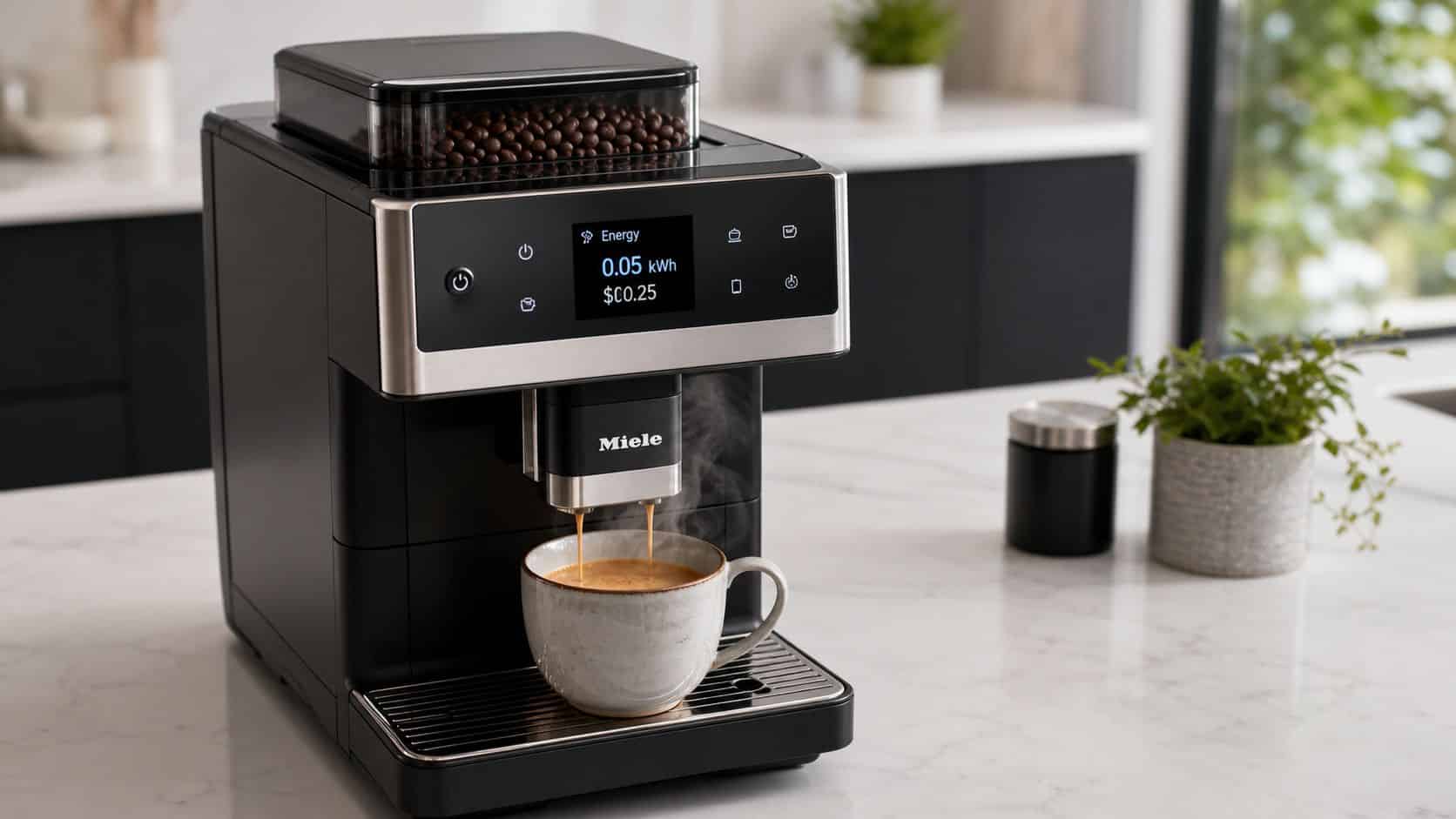
Coffee equipment gets ignored because each brew feels small. The machine sits on a kitchen counter or in a breakroom, does its job in a few minutes, and blends into the room. But single-serve brewers can be surprisingly expensive when you count heating spikes, standby power, and the way people leave them ready all day.
Most Keurig machines draw around 1470W while heating and about 15W in standby, and that can add up to an estimated $170 per year for someone making four cups daily at an average electricity rate of $0.20/kWh, according to The Green Pods analysis.
The real problem isn't brewing
Heating water takes power. That part is normal. The waste shows up when the machine stays in standby because nobody wants to wait for the next cup, or because the office leaves it on from first arrival to final cleanup.
That's why coffee stations deserve the same scrutiny as entertainment centers and desk setups. They combine heat, standby behavior, frequent use, and inconsistent shutdown habits.
Here's the practical order of operations for a single-serve machine:
- Turn on Auto-Off if your machine has it.
- Unplug the machine when it won't be used for long stretches.
- Keep the machine clean so it heats and flows properly.
- Choose brewing accessories that reduce waste without making cleanup miserable.
Auto-off and unplugging beat wishful thinking
For Keurig models such as the K-Cafe, K-Elite, and K-Classic, enabling Auto-Off shuts the machine off 2 hours after the last brew. A walkthrough on using the Keurig Auto-Off feature also notes that disabling it can lead to an estimated increase in electricity costs when the machine sits idle continuously.
If you're away for the weekend, closing the office, or just done for the day, unplugging is even better. Guidance on whether to leave a Keurig plugged in points to two practical benefits: it stops standby draw and reduces avoidable electrical risk.
Coffee makers are small appliances with big-office habits. People treat them like infrastructure and forget they need shutdown rules.
Brewing style changes the efficiency equation
Not every coffee maker wastes energy the same way. A standard drip machine usually uses a warming plate, which can drag energy use out long after brewing ends. Single-serve machines hit hard during brew, then stop. That makes them a better fit for low-volume users.
A coffee maker wattage comparison from Jackery notes that standard drip coffee makers use 550 to 1200 watts, while single-serve pod machines such as Keurig use 900 to 1500 watts during peak brewing but avoid the constant warming-plate drain. For homes or offices making only a small number of cups at a time, that trade-off often favors single-serve.
Another practical comparison from this Keurig versus drip overview says a single-serve Keurig uses about 45 to 65 kWh per year for brewing, while a standard drip coffee maker uses 100 to 150 kWh annually, largely because of the warming plate. The same source notes that a K-Classic can consume up to 813 kWh annually if left on, which is exactly why idle behavior matters more than brand loyalty.
For people who brew several cups close together, a niche but useful tactic appears in this Keurig brewing efficiency note: brew the first cup about 120 seconds before the second when making multiple cups within a short window to reduce per-cup energy use for follow-up cups. That's not something most households need to obsess over, but it's practical in a small office where several people queue up at once.
A quick visual helps if you want to audit your setup choices and daily habits:
Coffee Pod Comparison Cost, Waste, and Convenience
The pod decision matters for waste, cleanup, and day-to-day usability. It also triggers a common objection: reusable pods sound good in theory, but people worry they leak, fit poorly, or brew weak coffee.
That objection is fair. Cheap reusable pods can fit badly, clog, or create thin coffee because the basket design, fill level, or grind choice is wrong. A better reusable pod with solid construction and proper compatibility solves most of that frustration. If you want a practical look at what makes reusable options work better in real kitchens, this guide to reusable coffee pods is worth reading.
| Pod Type | Est. Cost Per Cup | Annual Waste (1 cup/day) | Durability & Fit | Best For |
|---|---|---|---|---|
| Single-use plastic pod | Higher than filling your own | Ongoing stream of used pods | Convenient, but model-specific fit can vary by brand | Fast, no-prep brewing |
| Refillable plastic pod | Lower over time | Less waste than disposable pods | Can wear faster and may stain or deform | Casual reusable use |
| Stainless steel reusable pod | Lower over time | Minimal recurring pod waste | More durable, easier to keep in rotation if matched to machine compatibility | Daily home use and small offices |
Don't ignore maintenance
Scale buildup forces a brewer to work harder and can drag down both heat performance and taste. Descaling isn't glamorous, but it supports consistent brewing and keeps the machine from becoming sluggish or temperamental.
If you use reusable pods, a small stack of paper liners can also make cleanup faster in busy homes or offices. They aren't mandatory, but they reduce mess at the sink and make reusable systems easier for shared spaces where no one wants to scrape grounds out before the next meeting.
Your 4-Week Energy Reduction Action Plan
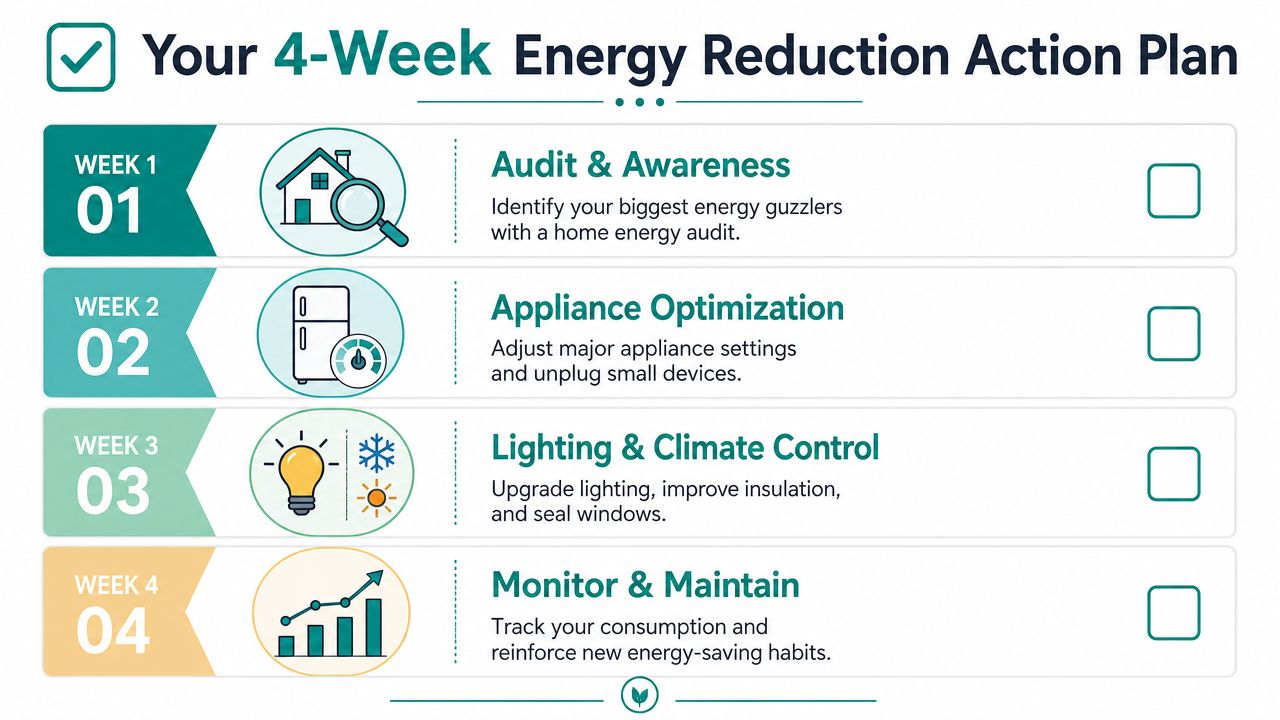
Good advice fails when it asks people to change everything at once. A short plan works better because it gives each improvement a place and keeps the task list from turning into background guilt.
Week 1 audit and awareness
Start with what stays plugged in.
Walk room by room and list devices that remain connected all the time. Don't guess. Look at every counter, surge protector, and spare outlet. Mark what's essential and what's just habitual.
- Kitchen pass: Check the coffee station, microwave, toaster area, and charging spots.
- Desk pass: Look for monitors, docking stations, speakers, and personal heaters or fans.
- Living area pass: Review game consoles, streaming boxes, subwoofers, and printer setups.
Week 2 lighting and climate control
This week is about cutting waste that repeats every day. Replace old bulbs in the rooms people use most. Then check draft points, window latches, and basic thermostat routines.
Use a simple rule in shared spaces: if nobody owns the setting, everybody fiddles with it. Post a standard thermostat routine if you manage an office or a busy household.
Small routines are easier to keep than heroic resets.
Week 3 major appliance discipline
Now tighten the machines that run your daily workload.
Pick one change for each major appliance category and keep it simple: fuller laundry loads, smarter dishwasher runs, cleaner refrigerator airflow, and faster action on equipment that's clearly struggling. If you maintain a coffee station too, a good maintenance schedule helps. This coffee machine maintenance checklist is a practical reference because it keeps the task list short and repeatable.
Week 4 coffee station reset and renter-friendly fixes
Coffee machines and small appliances get their own week because they're easy to overlook and easy to improve.
Turn on Auto-Off where available. Unplug the brewer before vacations or long weekends. Clean the machine, review whether your pod setup creates unnecessary waste, and make shutdown part of the closing routine in the office or the last-cup routine at home.
Renters need a different playbook. The U.S. Department of Energy notes that renters and residents of multifamily housing face significant barriers to reducing energy use because they often don't control appliance choices or building upgrades. That means the best renter moves are portable and permission-free:
- Target plug loads: Unplug, switch off, and consolidate small appliances.
- Choose movable tools: Use power strips, draft blockers, and task lighting you can take with you.
- Improve what you control: Brewing habits, cleaning routines, and reusable coffee accessories still matter even when the building itself isn't yours.
That's how energy consumption reduction becomes manageable. One week at a time, one stubborn habit at a time.
Make Smart Savings a Permanent Habit
The best energy savings plan doesn't feel heroic. It feels normal after a few weeks.
That's the lesson here. You don't need a complicated system to cut waste. You need to stop the standby drain, run major appliances with more discipline, and stop treating the coffee station like a harmless little corner of the house or office. It isn't harmless when the machine stays hot, idle, and ignored.
Reusable brewing gear fits this mindset well because it replaces a recurring disposable habit with a repeatable system. Done right, it also makes cleanup, taste control, and daily use more consistent. If sustainability matters to you alongside cost control, this piece on coffee and conservation connects the dots well.

The payoff comes from stacking practical habits. Shut things down. Maintain what you use. Fix the boring waste first. Then keep the system simple enough that everyone in the house or office will follow it.
If you're ready to make your coffee station cheaper to run and easier to maintain, shop PureHQ Inc. for reusable K-Cups, compatible filters, and descaling solutions that support cleaner brewing and less daily waste.

