
Coffee Machine Care
Keurig 2 Reusable K Cup
Oct
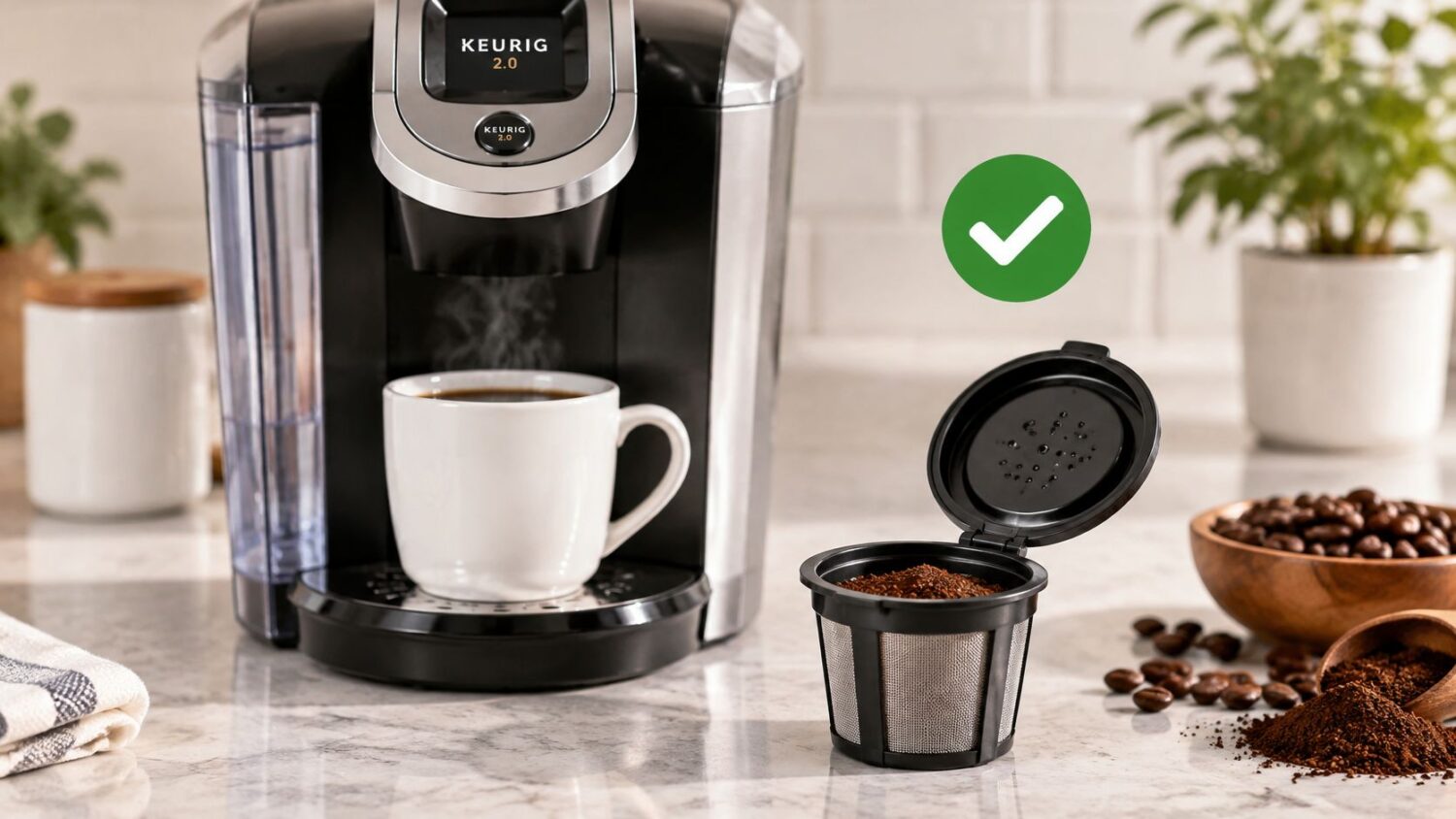
You fill a reusable filter, close the Keurig handle, and press brew. Instead of a clean cup, you get grounds in the mug or water around the pod holder. Before changing coffee or buying another filter, check the brewer model. Keurig's compatibility guidance distinguishes reusable accessories by brewing system, not just by whether the cup fits inside the chamber.
Why Reusable K-Cups Must Match Your Brewer
A reusable filter can sit neatly in the holder and still fail during brewing. If coffee grounds reach the mug or water spills around the pod holder, check the brewer's system generation before changing the grind or dose. Forcing the handle closed can damage parts without fixing a compatibility mismatch.
Keurig 2.0 launched in August 2014 with a scanner-based system that recognized markings on approved pods. It initially rejected many older K-Cups and reusable filters. Earlier brewers had supported the original My K-Cup, introduced in late 2005, but that did not make the accessory suitable for the newer platform. The history of Keurig's brewing systems documents the change.
Why the Generation Matters
Keurig described pod recognition as a way to identify beverages and adjust brewing variables. Consumers and commentators also viewed it as digital rights management. The term Keurig 2 reusable K-Cup therefore points to a system compatibility question, not a standard cup shape.
After customer backlash, Keurig announced in May 2015 that it would bring back a My K-Cup designed for the platform, according to reporting on Keurig's reusable-filter reversal. The practical check is twofold: the brewer's system must accept the filter, and the filter must fit its holder correctly.
Practical rule: Confirm the brewer and filter pairing before adjusting the coffee. A grind change cannot make an incompatible filter work.
Start With the Machine, Not the Pod
Read the complete model designation on the brewer and check its manual. A product photo, familiar cup shape, or broad “universal” label does not replace the filter's written compatibility list.
Check these details before buying or installing a reusable filter:
- Brewer identity: Record the full model designation, including any generation or system wording.
- Accessory identity: Confirm the exact filter version. A shared brand name does not mean every version fits every brewer.
- Installation requirements: Check whether the filter needs a specific holder configuration or orientation.
For model-specific guidance, consult this guide to choosing reusable K-Cups for different Keurig models, then compare its recommendations with the filter's current instructions.
Keep compatibility separate from brewing adjustments. Once the model and filter are confirmed as a match, changes to loading, flavor, or cleaning can be assessed on their own. If the pairing is wrong, changing those settings will not correct the underlying fit.
Which Keurig 2.0 Models Accept Reusable Pods
The original Keurig 2.0 My K-Cup has a defined compatibility list. It isn't the same accessory as every reusable filter sold under the My K-Cup name.
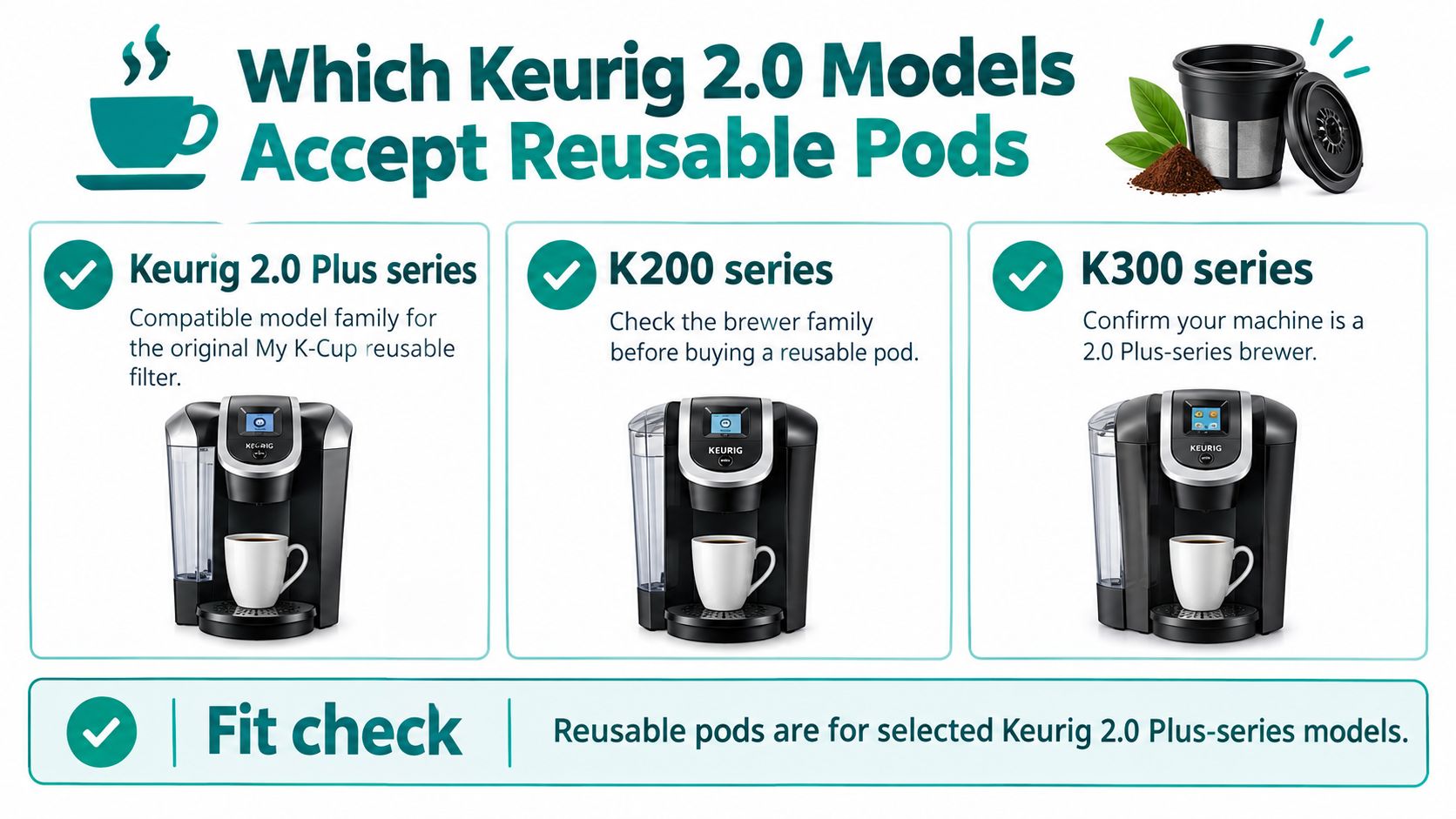
Keurig's published compatibility response identifies the supported Plus-series families below and excludes earlier standard K-Cup brewers, Vue, Rivo, and commercial machines. The same Keurig compatibility information published through Best Buy distinguishes this accessory from the My K-Cup Universal Reusable Filter recommended for current brewers.
Supported Families for the Original Accessory
| Brewer family | Models identified in the compatibility information |
|---|---|
| K200 family | K200, K250 |
| K300 family | K300, K350 |
| K400 family | K400, K450, K460, K475 |
| K500 family | K500, K550, K560, K575 |
Use this visual as a family-level reminder, not a substitute for checking the complete model designation.
Machines Outside That List Need a Separate Check
A K-Classic owner shouldn't choose the original accessory merely because the brewer accepts disposable K-Cups. Likewise, a MultiStream owner needs to check the reusable filter's lid design and supported brewing system. The entrance and exit arrangement matters, not just the outside diameter of the cup.
This also explains apparently contradictory customer reviews. Someone reporting success may own a supported Plus-series brewer. Someone reporting a poor fit may own a different platform or a different version of the reusable accessory. Neither review establishes compatibility for your machine.
Don't interpret “2.0 compatible” as a complete buying specification. Ask whether the listing names your exact model and explains how the accessory sits in that brewer. If it only lists a broad family, ask the seller to confirm the pairing before purchase.
Run this checklist against the machine and product listing:
- Match the full designation: Compare the brewer's model with the accessory's supported-model list.
- Confirm the accessory generation: Distinguish the original reusable filter from a current Universal version or a third-party design.
- Check the holder instructions: Follow the configuration specified for that particular accessory.
- Resolve missing information: Ask support about an omitted model rather than treating an unanswered question as approval.
Don't test an uncertain match by forcing the handle shut. Keurig's compatibility guidance warns against forcing a poorly fitting accessory because an unsuitable pod or accessory may cause malfunction or injury.
Filling, Seating, and Brewing the Filter Correctly
A confirmed model match is the starting condition. The loading procedure then depends on the accessory you own.
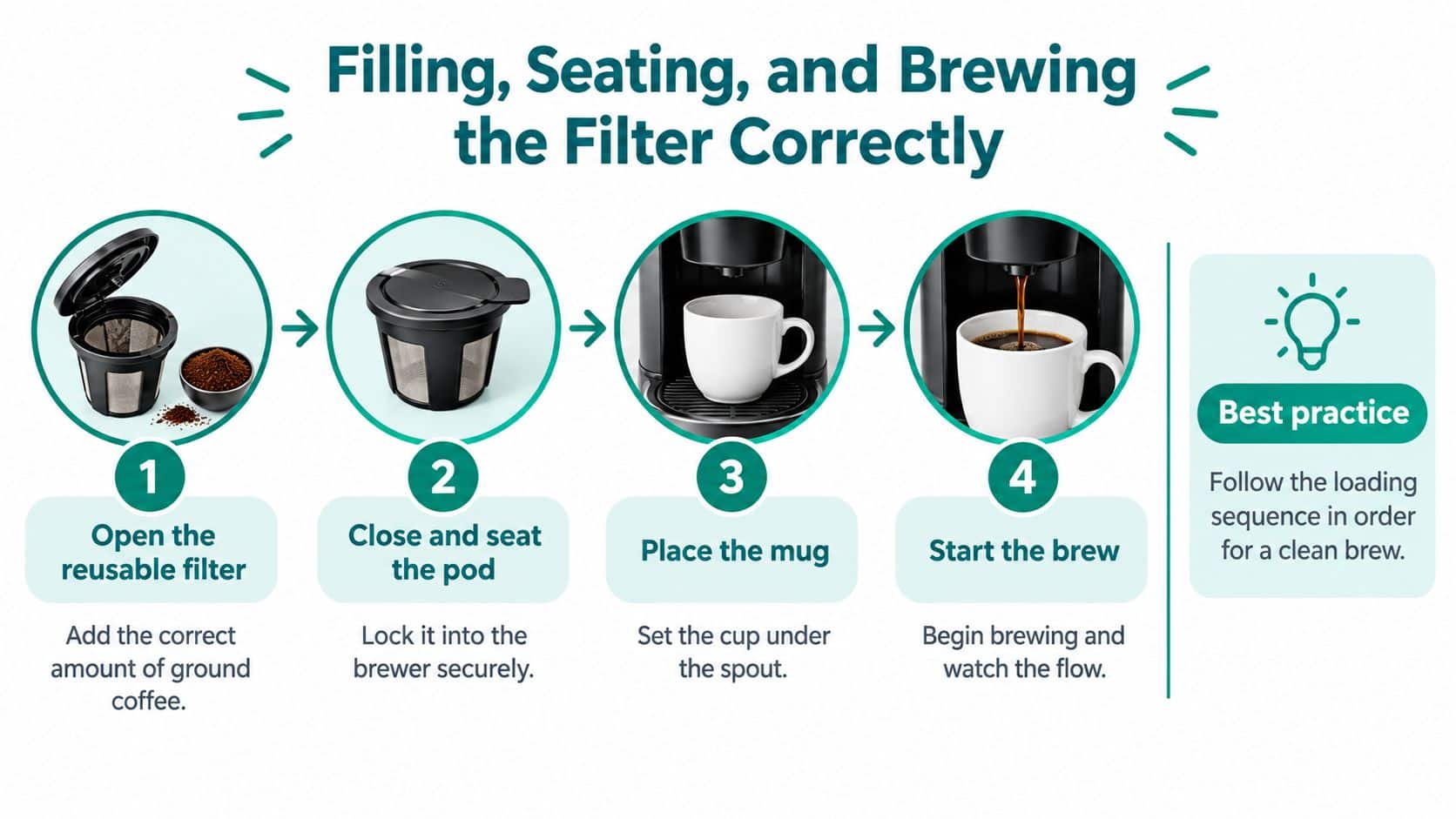
For the official accessory, Keurig's My K-Cup loading instructions specify the fill limit, cap closure, handle orientation, seating, and reusable-filter menu selection. Those instructions apply to that accessory. Follow the supplied directions if your third-party filter uses a different cap or installation method.
Load the Filter in Order
- Add ground coffee only. The official filter isn't intended for tea leaves, hot cocoa, or other powdered beverages. Don't treat it as a general-purpose refillable container.
- Stop at the marked MAX line. Leave the closure area clear. More coffee isn't a useful improvement if the load obstructs the cap or sends grounds outside the filter.
- Lock the cap until it clicks. Check the closure before moving the filter to the brewer. Don't rely on the brewer handle to finish closing a partially engaged cap.
- Point the filter handle forward. Place the accessory in the orientation shown in its instructions, then press it fully into the holder.
- Close the brewer handle completely. If the handle won't close normally, stop and inspect the installation.
- Select the reusable-filter option and brew size. On the official setup, this menu choice follows correct insertion and handle closure.
Keep the sequence consistent from one brew to the next.
Check the Closure Before Starting
The MAX line is a limit, not a target you must reach. If grounds sit on the cap's mating surface, remove them and check the closure again. Don't push stray coffee into the hinge or locking area to make room.
Incomplete seating can interfere with alignment. An overfilled filter can obstruct closure or allow grounds to migrate. These are loading problems to correct before brewing, rather than problems to compensate for with a smaller drink setting.
Use the same stop rule whenever installation feels wrong:
- Cap resistance: Reopen the accessory and inspect the fill and closure surfaces.
- Unexpected height: Remove the filter and recheck its orientation and holder requirements.
- Handle resistance: Return to the model match instead of applying extra pressure.
Place the mug under the outlet before starting. Watch the initial flow without reaching into the brewing area. If the filter doesn't behave normally, stop and diagnose the setup rather than immediately running another cycle through it.
Adjusting Grind, Dose, and Brew Size
A Keurig that brews slowly after you change the grind may not need a different dose. First confirm the reusable filter is made for your brewer's model and system generation. A filter that fits the holder physically can still be unsuitable for that machine. Once compatibility is established, change one brewing variable at a time.
Start with a medium grind comparable to automatic-drip coffee. Fill the filter loosely and level the grounds without tamping, leaving space below its marked limit. Keurig's documentation says to use ground coffee and not exceed the MAX indicator. It lists an adjustable brewing-temperature range of approximately 187–192°F on supported models. That range is model-dependent, not a setting available on every brewer. Check Keurig's brewing and reusable-filter documentation.
Change Brew Volume Before Adding More Coffee
If coffee tastes thin and flows normally, select a smaller brew volume before adding grounds. With the same dose, less water passing through the coffee generally makes the cup taste stronger. Keep the dose and grind unchanged while comparing brew sizes.
Packing the filter tightly is a poor first adjustment. It can restrict flow and makes it harder to identify the cause of a weak cup. If a smaller serving tastes balanced but is too small for your routine, consider whether the reusable pod suits the amount of coffee you want.
| Cup or flow problem | First adjustment | Next check |
|---|---|---|
| Thin coffee with normal flow | Select a smaller brew volume | Try a slightly finer grind |
| Harsh coffee with slow drainage | Use a coarser grind | Remove fines and clean the filter |
| Weak coffee at a conservative fill | Adjust dose within the marked limit | Keep brew volume unchanged during comparison |
| Inconsistent results | Repeat the same loading method | Inspect the mesh and cap before changing settings |
These are starting points, not guarantees. Coffee and filter designs vary. For help choosing a starting coffee, use this guide to ground coffee for Keurig brewing.
Separate Strength From Harshness
Bitter coffee does not automatically call for more grounds or hotter water. Check whether the filter drains normally and is clean. Then consider the temperature control, if your model has one. Keep temperature unchanged while testing a grind or brew-volume adjustment.
Change one variable at a time. Keep the coffee, fill level, and setting consistent enough to identify what helped.
There is no universal headspace measurement for every reusable pod. Use the accessory's fill limit and closure instructions rather than borrowing a scoop count from another filter's directions.
A reusable pod may not suit someone who wants a large drink with concentrated flavor. Test it at the serving size you prefer. If the flavor works only in a much smaller cup, another brewing method may fit your routine better than overfilling the filter.
Fixing Leaks, Overflow, and Routine Cleaning
Start with the visible symptom, but keep the model check in view. If the filter hasn't been confirmed for the machine, don't diagnose it as though compatibility were settled.
Keurig's iced-brewer care guide specifically warns that a pod holder misaligned with its original holes can allow water and grounds to overflow. It also directs owners to remove used pods and regularly rinse the drip tray and reservoir. Those are useful mechanical and cleaning principles, but use the Keurig holder-alignment and care guidance with the manual for your own machine, not as a reason to apply iced-brewer disassembly steps to another platform.
Inspect the filter's position before starting another brew.
Water or Grounds Overflow Around the Holder
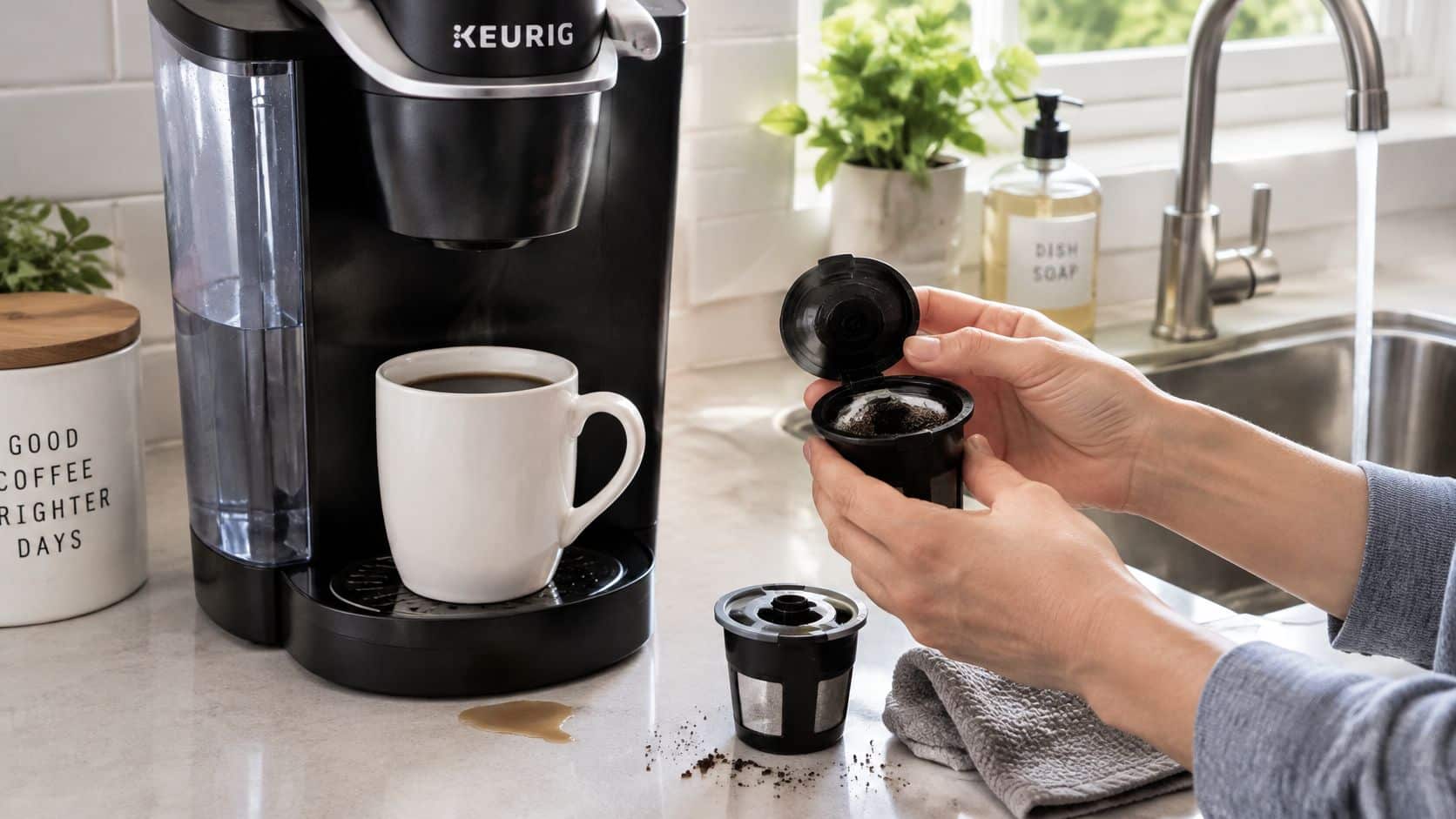
Stop the brewing attempt and allow hot components to cool before handling them. Keurig's reusable-filter instructions warn that the contents remain hot after brewing.
Check the installation rather than immediately changing the grind:
- Unverified model match: Return to the supported-model list. Don't keep testing an accessory whose compatibility is uncertain.
- Holder alignment: If you removed the holder, reinstall it according to your brewer's manual.
- Filter position: Repeat the accessory's seating procedure without forcing the handle.
- Excess coffee: Correct the load using the fill procedure already described.
After correcting the setup, observe the next brew. If the same overflow returns with a verified accessory and correct installation, stop repeated trials and contact the appropriate support team. A different pod isn't a substitute for diagnosing a machine fault.
Grounds Appear in the Mug
Grounds in the cup don't identify the cause on their own. Check whether coffee escaped during loading, whether the cap locked fully, and whether residue remains around the closure.
Remove the cooled filter and inspect the mesh and cap. Rinse away loose particles before reloading. If grounds keep appearing, compare the installation with the accessory instructions rather than assuming that a finer grind will solve it.
Use this distinction when deciding what to do next:
| What you observe | What to inspect |
|---|---|
| Grounds around the cap before brewing | Fill technique and closure surfaces |
| Grounds after an otherwise normal brew | Cap engagement, mesh cleanliness, and seating |
| Grounds together with overflow | Holder alignment, accessory match, and loading |
| Repeated failure after correction | Product support and brewer-specific service guidance |
Don't attempt to compensate for a questionable seal by holding the brewer handle down during operation.
Coffee Drains Slowly or Stops
Once compatibility and seating are confirmed, inspect the filter's flow path. Residual fines can obstruct the mesh, and densely packed coffee can restrict drainage. Apply the grind and dose adjustments described earlier only after cleaning the accessory.
A useful troubleshooting habit is to distinguish filter cleaning from machine maintenance. Rinsing the reusable cup addresses grounds and residue on that accessory. It doesn't remove mineral buildup elsewhere in the brewer.
Maintenance distinction: Clean the reusable filter for an unobstructed coffee path. Descale the brewer according to its own maintenance instructions.
Keep a Repeatable Cleaning Routine
After the filter has cooled sufficiently, empty the grounds and clean the mesh and cap after every brew. Inspect the locking area before putting the accessory away. Don't leave yesterday's grounds in place and expect the next loading check to be reliable.
Remove used disposable pods when you use them, and rinse the drip tray and water reservoir as directed by the brewer manual. Periodic descaling addresses mineral accumulation in the machine's water path, a separate task from washing the reusable filter.
If correct loading, accessory cleaning, and model-specific maintenance don't restore normal operation, escalate the problem. Repeatedly brewing through an unresolved overflow isn't a reasonable test of whether reusable coffee is suitable for you.
Are Reusable Pods Better for the Environment
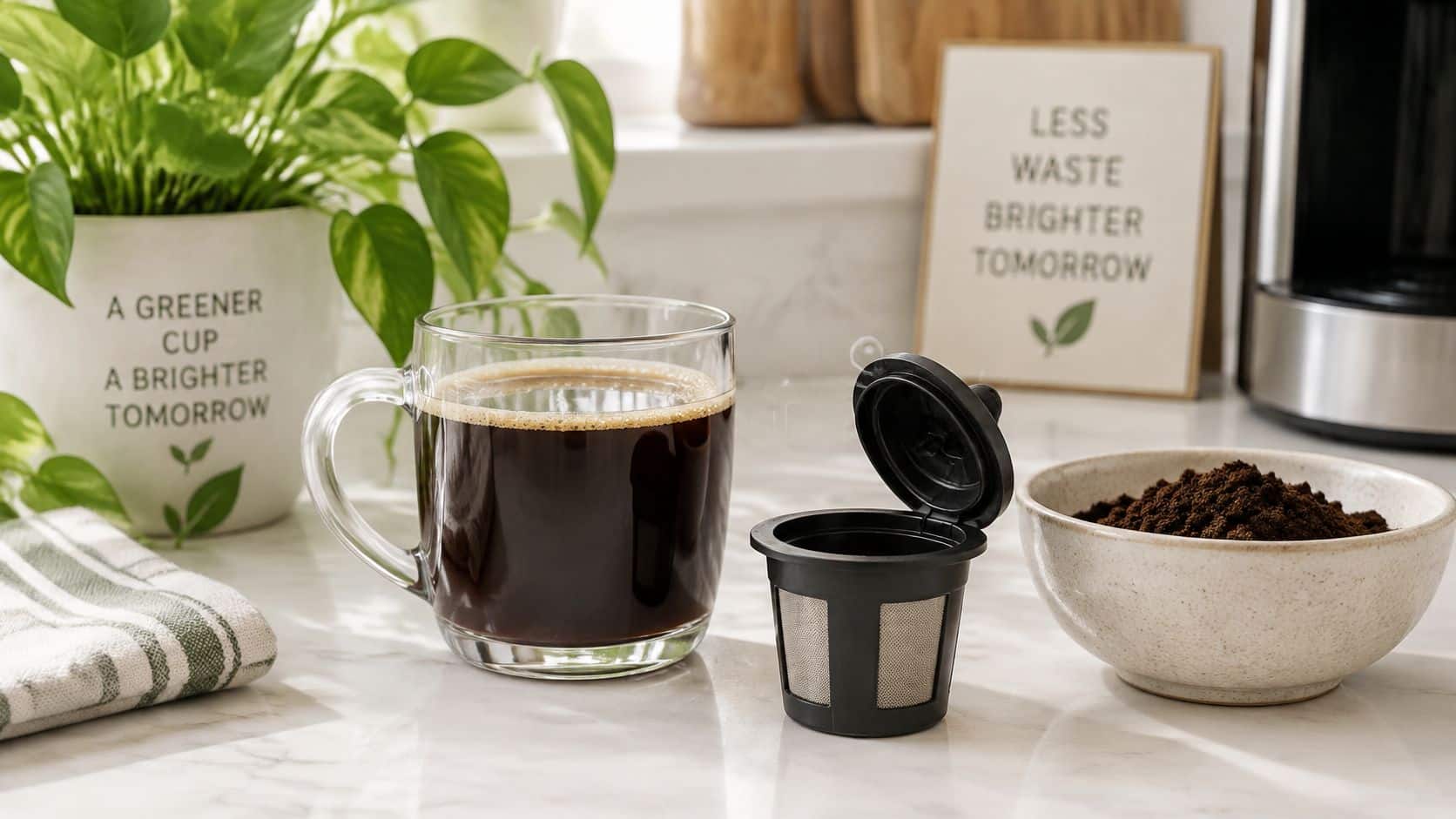
A reusable filter can replace disposable pod shells in your routine, but that alone does not prove a lower overall environmental impact. The brewer generation matters for fit: choose a filter made for your exact model, or it may go unused. The comparison also depends on how much coffee you brew, what you finish, and the water and energy used.
Compare the Whole Serving
A VERIFY review of coffee-brewing environmental comparisons reports that single-serve pods can have a lower carbon footprint than drip coffee when they prevent a pot of coffee from being brewed and wasted. It also describes a comparison in which plastic pods had a greater impact than aluminum pods. Neither finding establishes that every pod or brewing method is better in every situation.
The narrower case for a reusable filter is straightforward: using it repeatedly avoids repeatedly using a disposable pod shell, while letting you measure ground coffee for one serving. That advantage depends on choosing a filter that fits your brewer and continuing to use and clean it.
Check your routine:
- Drink preparation: Brew an amount you expect to finish.
- Coffee dose: Don't waste grounds by overfilling the filter to make stronger coffee.
- Cleaning: Follow the accessory's care directions; unnecessary washing isn't an environmental benefit.
- Replacement: Check compatibility with your brewer model before buying, so a mismatched filter doesn't become an unused purchase.
The following video adds context on coffee and pod choices.
Avoid Blanket Waste Claims
“Zero waste” overstates what reusable coffee brewing can deliver. Coffee production, water, energy, equipment cleaning, and spent grounds remain part of the process. A fair comparison accounts for those inputs instead of focusing only on the plastic shell you no longer use.
If disposable pods are still part of your routine, this K-Cup recycling guide covers that part of your choices. Recycling guidance does not, on its own, establish the total footprint of brewing.
A reusable filter makes practical sense when it fits your specific Keurig model, produces coffee you'll drink, and stays in regular use. Treat environmental benefit as dependent on those conditions, not as a guarantee attached to the product.
Premium and Generic Reusable Pods Compared
A reusable pod can fit loosely in the holder and still fail during brewing. Compare options by the support they provide for your exact brewer, not by price or a “2.0” label. A generic pod with clear model guidance may be a better choice than a premium one with vague compatibility claims.
The table is a checklist for evaluating a specific product. Features vary, so confirm them in the listing and instructions rather than assuming they come with every premium or generic pod.
Buying Checks for Premium and Generic Reusable Pods
| Buying check | Premium reusable pod | Generic reusable pod |
|---|---|---|
| Explicit Keurig 2.0 designation | Look for a clearly identified compatible version | Confirm the designation; don't infer it from the product photo |
| Named supported brewer models | Look for a specific model list | Ask the seller if your complete model is missing |
| Marked MAX fill line | Check that the limit is visible and explained | Confirm there is a usable fill limit |
| Locking cap and seating instructions | Look for an explained closure and installation method | Follow that product's instructions; don't assume its cap works like another brand's |
| Ground-coffee-only guidance | Check that intended use is clear | Avoid ambiguous claims about unrelated powdered drinks |
| Support and returns | Read the published terms before buying | Check whether the seller can help with fit or installation questions |
Physical Fit Isn't the Same as Compatibility
A pod dropping into the holder proves only that it enters the chamber. It does not confirm that the lid geometry, seating position, or brewing system matches your machine. This distinction matters across brewer generations: a “2.0” label alone does not establish fit.
Use your model designation and the product's loading references to check compatibility. Don't force a pod or handle that resists. A premium label and a low price carry no weight if the instructions don't cover your brewer.
Ask the seller direct questions:
- Exact machine: Does this accessory support the complete model designation?
- Installation: Which holder configuration and lid orientation does it require?
- Closure: How should the cap engage, and what should I do if the handle resists?
- Durability guidance: What care instructions and warranty terms apply?
Where PureHQ Fits
PureHQ describes its coffee-accessory range as including reusable K-Cups for K-Classic, 2.0, K-Supreme, K-Slim, and K-Duo systems. The company designs and oversees manufacture of its accessories and provides customer support, with published return and warranty policies.
Evaluate PureHQ alongside Keurig accessories and generic options using the same checks. The listed systems do not mean one pod fits them all. Choose the particular version whose compatibility information names your brewer, and ask support if the model or system generation is unclear.
Shop the PureHQ Reusable K-Cup for Your Keurig
Choose the reusable K-Cup by your brewer's exact model and system generation, then compare accessory features. The search phrase “Keurig 2 reusable K-Cup” does not confirm fit.
Check the current PureHQ listing for your complete machine designation and the required installation method. A product photo alone cannot show whether the filter suits a Classic, 2.0, or MultiStream brewer. If the listing does not clearly name your model, contact support with the complete designation before ordering.
Make the Purchase Match Your Routine
A refillable filter gives you control over the ground coffee, but you must empty and clean it after brewing. If that work does not fit your household or breakroom routine, a reusable pod may not be the right daily choice.
Keep these details on hand before checkout:
- Your machine: Complete model designation and system generation.
- Your selected accessory: Exact product version and supported-model list.
- Your installation reference: Loading and holder instructions supplied with the accessory.
- Your purchase terms: Current return and warranty information.
PureHQ products are available directly from the brand and through its Amazon Store. Check the selected product variant on either route. A general storefront description may not identify compatibility for the specific version you need.
Include the Maintenance Supplies You Need
PureHQ also offers a universal descaling solution and cleaning tablets for suitable maintenance routines. Follow your brewer's care instructions, and keep descaling and machine cleaning separate from the reusable filter's daily rinse.
Resolve fit before buying supplies or additional pods. Match the filter's compatibility information to your brewer, then follow its installation instructions for the first setup. This avoids relying on trial and error when the holder or lid does not seat correctly.
PureHQ Inc. offers reusable K-Cups, coffee-machine filters, and maintenance supplies. Check your brewer against the product's compatibility list, then choose the reusable K-Cup version designed for your Keurig model.

